POS for supermarkets, greengrocers and grocery stores
Your shop, under control
Beep, add up, next. Scanner, scales, offers, stock and customer credit on one screen built for people who sell, not for IT experts.
- From €19.90/month
- No lock-in
- Works offline
Built for
- Supermarkets
- Greengrocers
- Delis
- Corner shops
- Butchers
- Fishmongers
- Grocery stores
Scan, weigh and charge without stopping
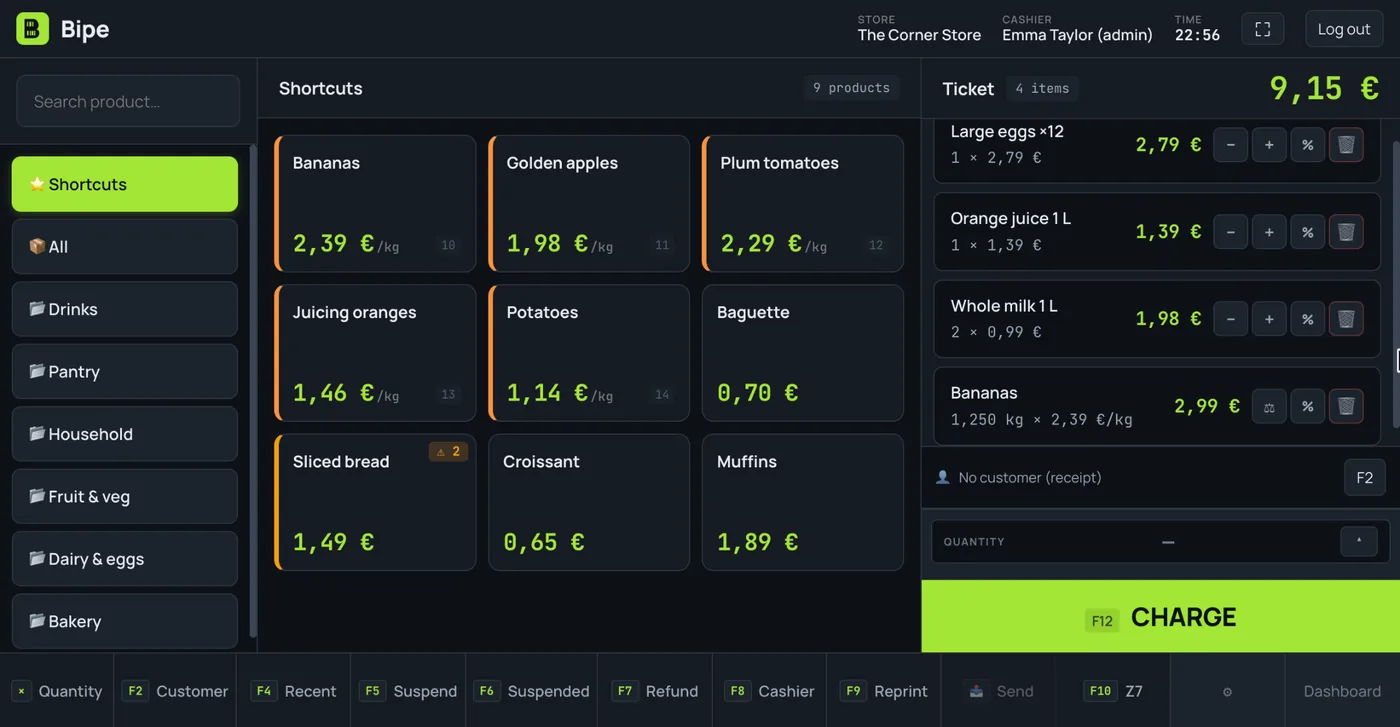
Your cashier serves customers instead of hunting for buttons. Bipe reads the barcode and adds it up; fruit and loose goods are weighed on the same screen.
- Reads EAN-13 and EAN-8, with several barcodes per product
- Scale labels with the weight or price inside the barcode
- USB and serial scales connected from Chrome or Edge
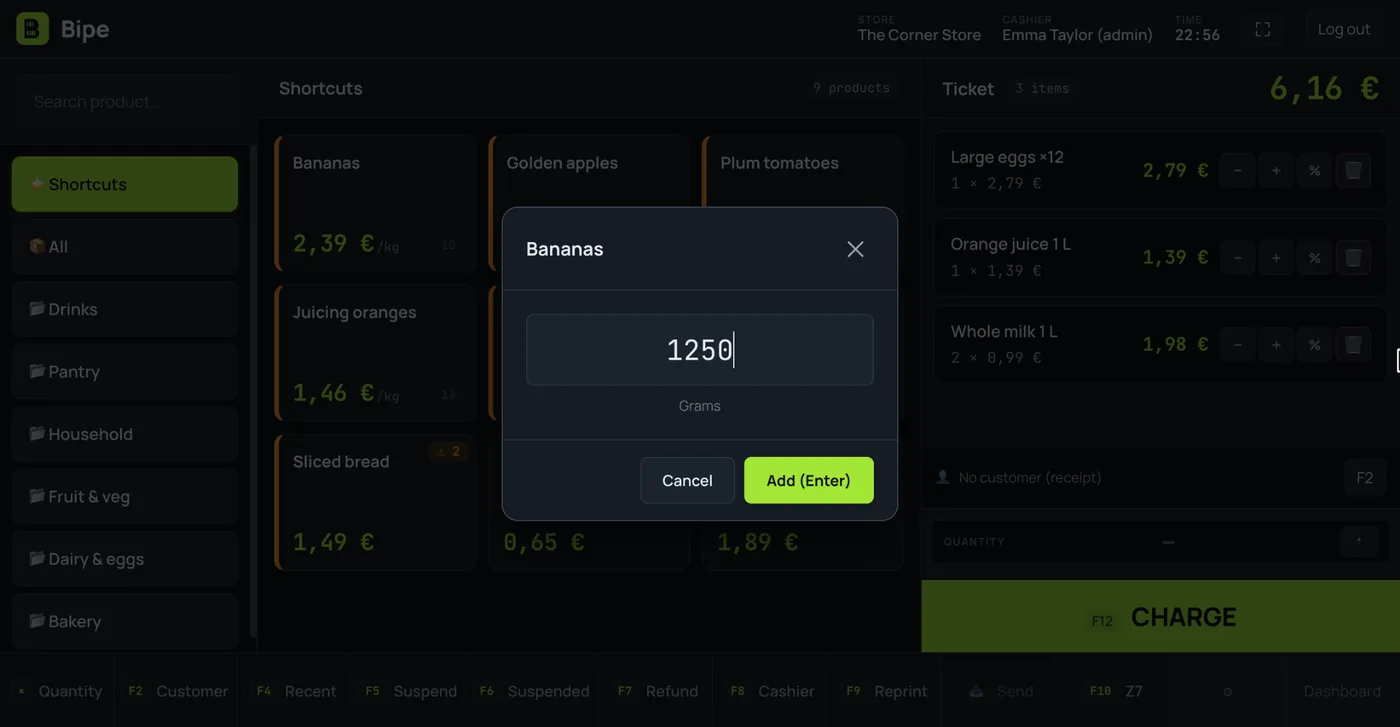
- Price per kilo and shortcuts for your best sellers
Charge in seconds, with offers already applied
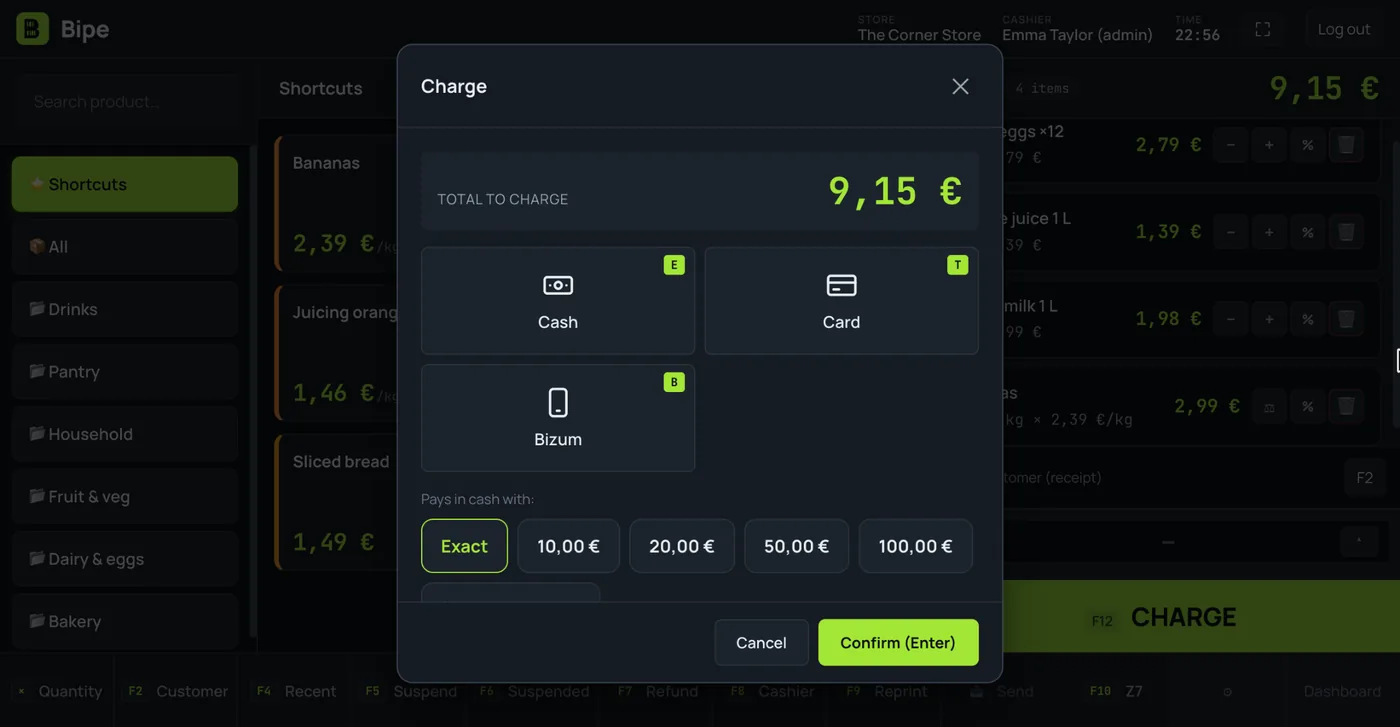
Cash with change calculated, card or on account, and mixed too. Promotions apply themselves.
- Buy one get one free, 3 for 2, second item X % off, bundles and discounts
- By product or by category, with start and end dates
- Receipt or full invoice in one tap
- Equivalence surcharge for retailers
Stock that balances itself
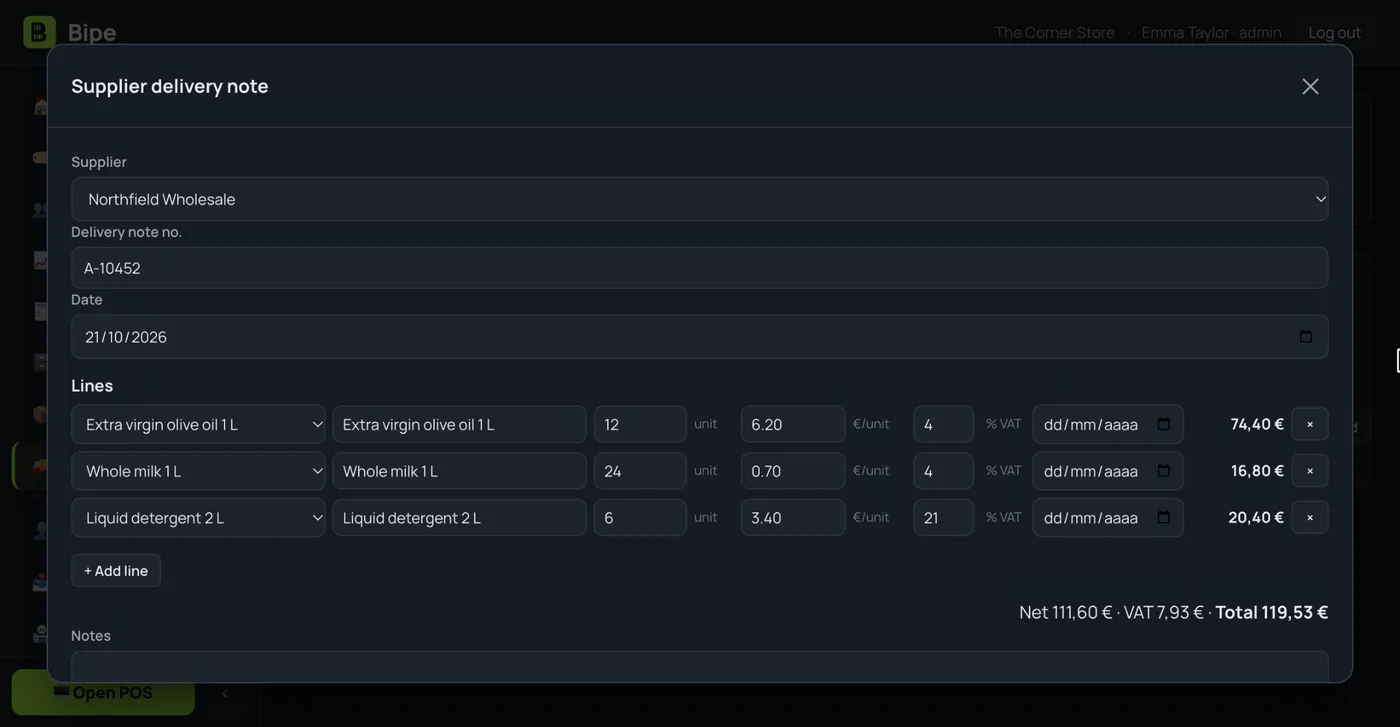
Every sale deducts and every supplier delivery note adds. You know what's running low before the shelf is empty.
- Delivery notes and suppliers, with what you owe them
- Minimum stock and a “what do I need to order” list
- Expiry dates by batch and wastage
- On Pro, AI reads price lists and delivery notes (text, PDF or photo)
Customer credit, without the notebook
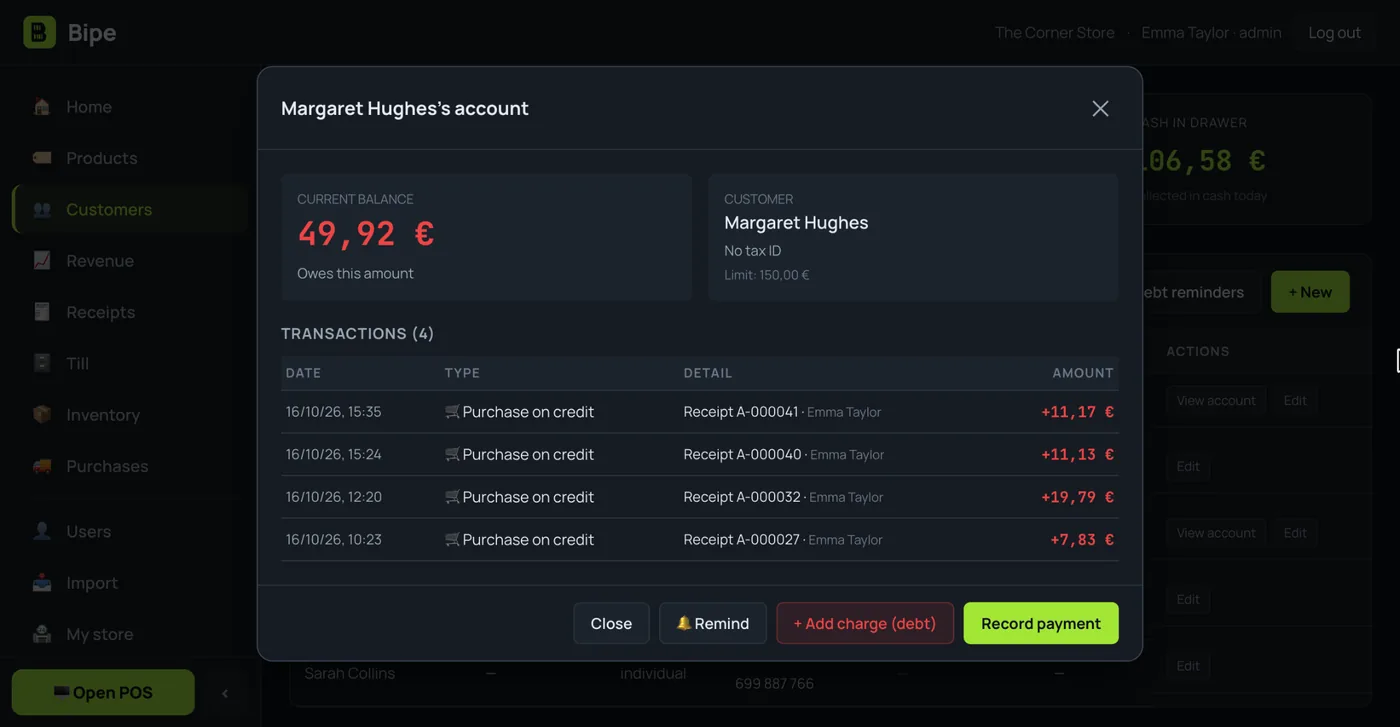
Sell on account to trusted customers in one tap. Bipe keeps each one's balance and history.
- Customer account with a credit limit
- Transactions with date, receipt and cashier
- Debt reminder by WhatsApp or email
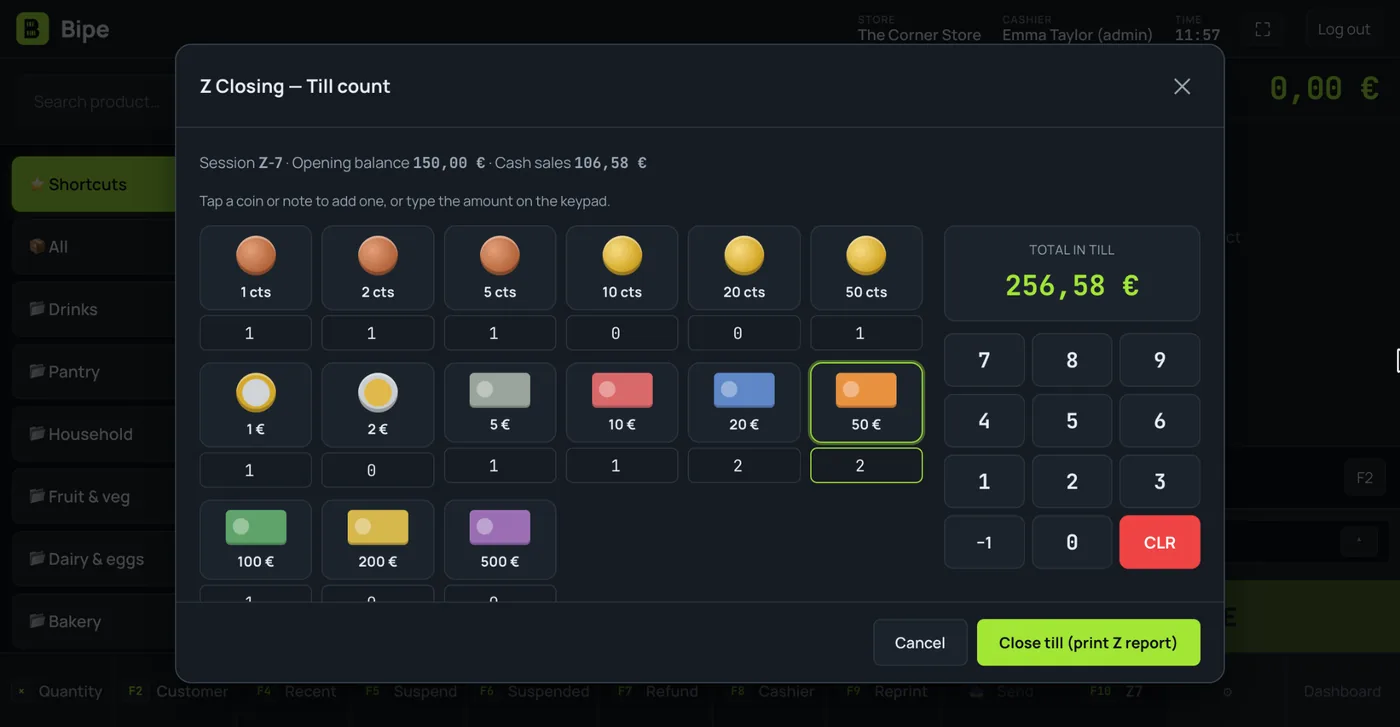
Cash count and Z closing in a minute
Tap each coin and note and Bipe counts for you. You see instantly whether the till balances and the Z report prints out.
- Opening balance, cash sales and difference
- Full or partial refunds from the receipt
- Stock adjusts itself on refunds
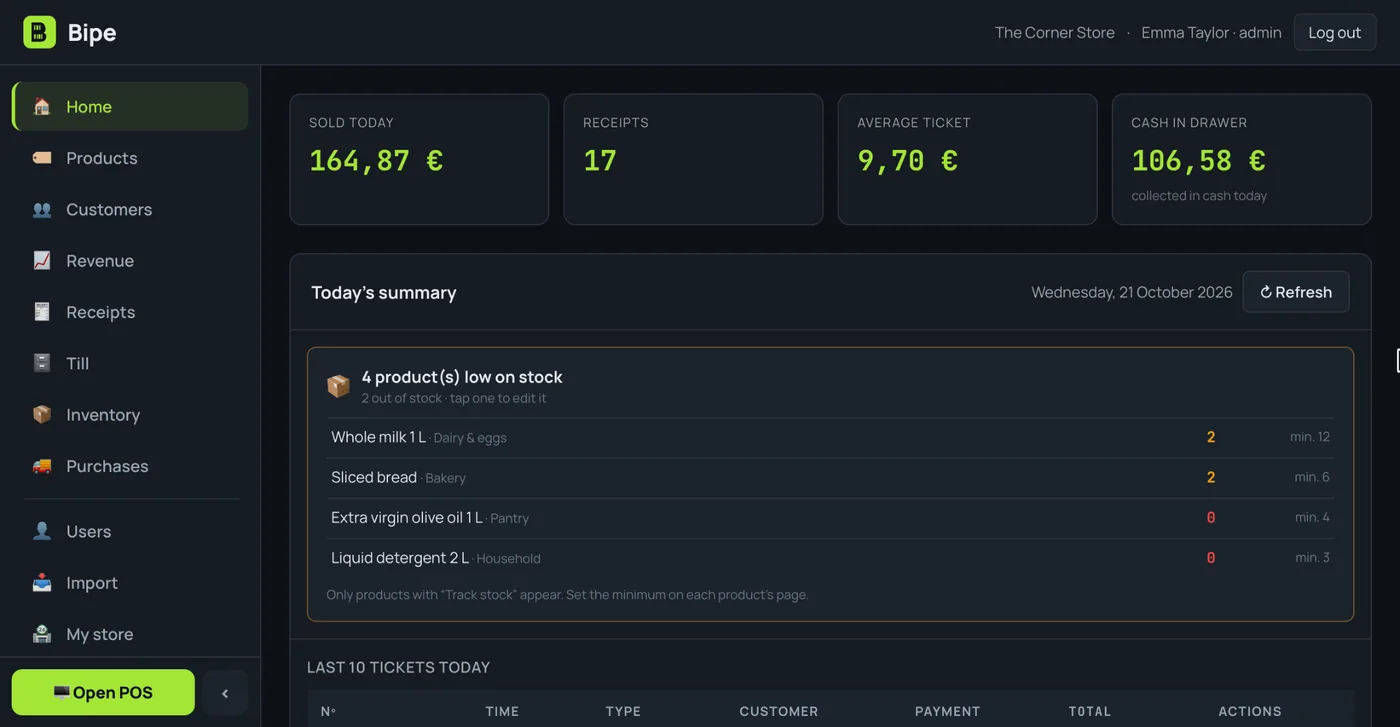
Your shop at a glance
Today's sales, receipts, average ticket and cash in the till. Plus an alert for products that are running out.
- Best sellers and busiest hours
- Margin report and one for your accountant (opens in Excel)
- From the shop computer or from your phone
A shop's everyday headaches, sorted
“The scales and the till don't talk to each other”
POS with scales
Connect your USB or serial scales from Chrome or Edge and weigh on the same sales screen. If your scales print labels, Bipe reads the weight or price from the barcode and charges the exact amount.
“The shelf price doesn't match the till”
Shelf labels
Print labels with the name, price, barcode, PLU and price per kilo or litre, always showing the price the till has.
“We throw out expired stock every week”
Batches, expiry dates and wastage
If you turn on batches, Bipe sells what expires first and warns you about what's about to expire. Wastage is logged with its reason and its cost.
“We always forget something when ordering”
Minimum stock and orders
Bipe tells you what's below the minimum. If you turn on supplier orders, you prepare the order, send it by email or WhatsApp and, when it arrives, the stock adds itself.
“I can't face entering all my products”
Import from Excel or CSV
Upload the file you export from your current POS: Bipe suggests which column is which (barcode, name, price, VAT) and you check it before importing.
“My regulars are going to the big supermarket”
Gift cards and points
Features you can turn on to reward your regulars: gift balance and points on every purchase.
Is your shop a specialist trade? See the greengrocer POS, the butcher shop POS, the bakery POS and the fishmonger POS. Do you sell everything except food? See the variety store POS.
Everything a shop needs every day
Keep selling without internet
The catalogue is stored on the device: if the connection drops you keep scanning and charging, and sales upload by themselves when it's back.
Several cashiers
Each cashier logs in with their own PIN (F8 to switch) and their own permissions: sell, refund, discounts, see the till…
Printer and drawer
80 mm receipt printers. With the Windows app the receipt prints with no dialog and the drawer opens by itself.
Import your catalogue
Upload a CSV with barcodes, names, prices and VAT. Coming from another POS? Export and import in minutes.
Parked receipts
Park a sale while the customer fetches something they forgot and carry on serving the next one.
Bipe in 10 seconds
Short videos from our YouTube channel: everyday situations in your business and how they are handled with Bipe. The videos are in Spanish.

Selling by weight in greengrocers and corner shops
Fruit and loose products with the scale connected to Bipe: the weight goes onto the receipt without typing it.

Goodbye to the credit notebook
Each customer has their own account: what they buy on credit and what they pay back is recorded in Bipe, with every movement.

Collecting a debt that records itself
A customer pays what they owed and the payment is recorded on their account, with date and receipt, no notebook needed.
Start small, grow when you're ready
VAT included. No lock-in. Every plan comes with 15 days free.
- Up to 3,000 products
- 1 user
- Full POS, till and Z closing
- Scanner, scales and offers
- Stock, delivery notes and expiry dates
- Refunds and receipt history
- CSV catalogue import
- Customers and credit
- Advanced reports
- Several cashiers
- Unlimited products
- Unlimited cashiers, with PINs and permissions
- Everything in Mini, plus:
- Customer accounts (credit)
- Metrics, margins and accountant report
- Read price lists and delivery notes with AI
- Everything in Pro, plus:
- Receipts to customers by WhatsApp or email
- Priority support
- Personalised onboarding
- Assisted catalogue import
- Early access to new features
- Multi-shop (coming soon)
Price per shop per month. Change plan whenever you like. Secure payment with Stripe. During the trial you get every feature.
Questions from shops
Which scanner and scales can I use?
Can I keep selling if the internet goes down?
Can I use Bipe on several computers?
Does Bipe calculate the equivalence surcharge?
How do I move my products over from another POS?
Does Bipe print price labels?
Does it keep track of expiry dates?
Is there a minimum contract?
Guides for your shop
Is your business different?
Your shop, under control from today
Try Bipe free for 15 days. No lock-in: cancel whenever you like.