POS for greengrocers and fruit shops: weigh, charge, next
Fruit by weight, the till to the cent
Connect your scales and the weight goes straight onto the receipt. Fruit and veg, which have no barcode, on big buttons; packaged goods, with the scanner. And your regulars' credit, without the notebook.
- From €19.90/month
- No lock-in
- Works offline
Built for
- Greengrocers
- Fruit and veg shops
- Market stalls
- Bulk and organic shops
- Delis
A greengrocer's headaches, solved
“With a queue in the shop, typing in every weight takes forever”
The scales, inside the POS
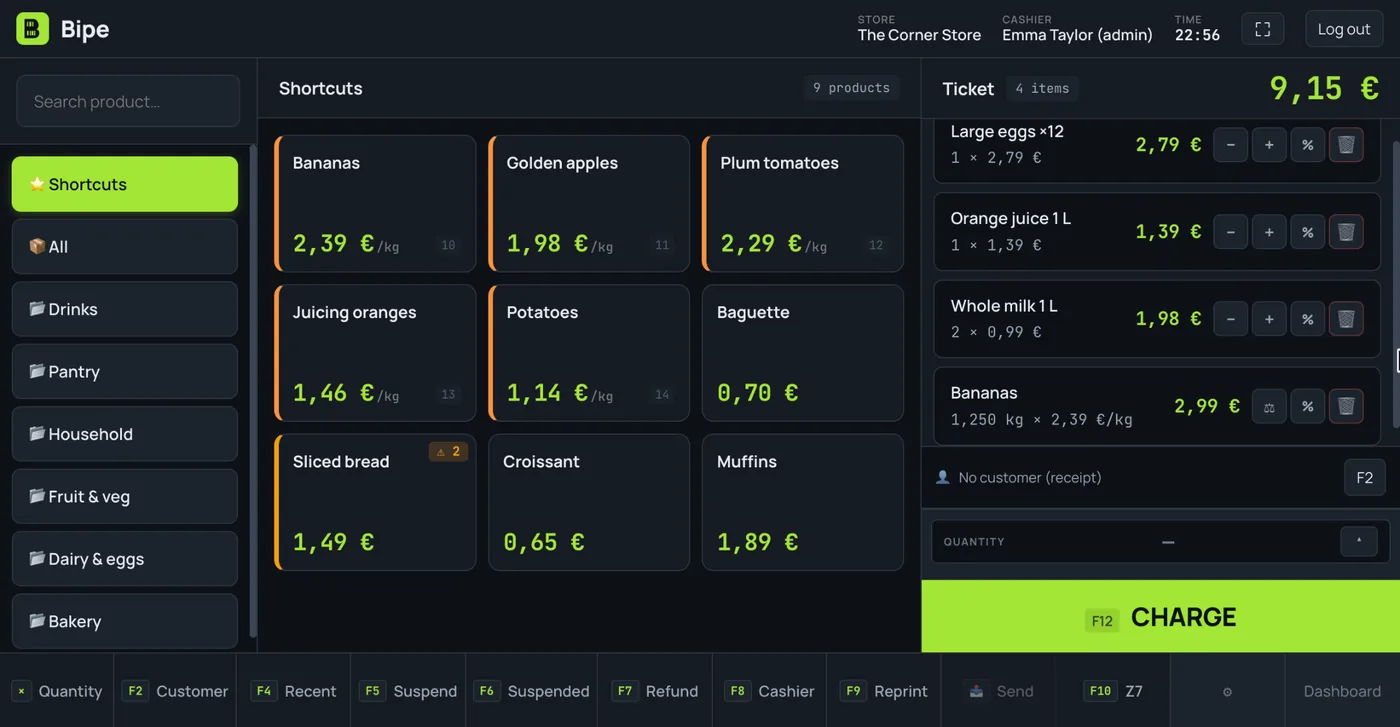
Connect your USB or serial scales from Chrome or Edge: put the oranges on the pan, tap the product and the weight goes onto the receipt by itself. With no scales connected, you type the weight by hand (235 means grams; 0.235, kilos).
“Fruit doesn't have a barcode”
Shortcuts and families
Mark your best sellers as shortcuts and they appear as big buttons as soon as you open the till. Everything else by family, by searching its name or typing its PLU. Packaged goods, with the scanner, in the same sale.
“Market prices change every morning”
Price per kilo, up to date
Change the price per kilo on the product card and the till charges the new one straight away. Shelf labels come out with the same price per kilo as the till.
“Half a kilo of cherries, a lettuce and a bunch of parsley”
By weight and by unit, on the same receipt
Each product is sold by weight or by unit: cherries by the kilo, lettuce and parsley by the piece. All on the same receipt, without changing screens.
“Nobody writes down what goes off”
Wastage with its reason
Log what you throw away because it's spoilt or past its best, in kilos or units: it comes off stock and is recorded with its cost, so you can see how much you lose each month.
“My regular neighbour pays at the end of the month”
Credit without the notebook
On the Pro plan, each trusted customer has an account with a limit: you sell on account with one tap and Bipe keeps the balance and the movements.
Weigh without leaving the sales screen
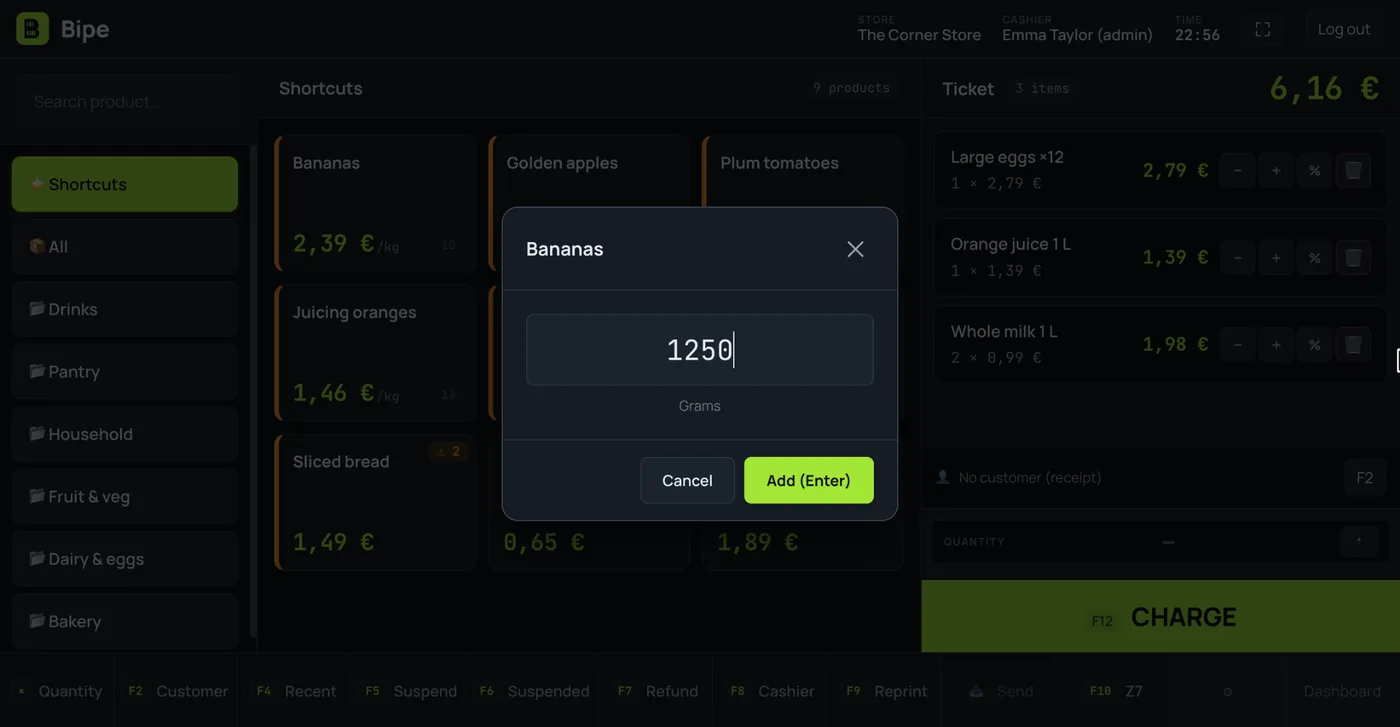
The weighing window shows the grams live and waits for the weight to settle before putting it on the receipt, with each product's price per kilo.
- USB and serial scales, from Chrome or Edge
- Tare button for the crate or the bag
- Scale labels with the weight or price inside the barcode
- Weight typed by hand if the scales aren't connected
Neighbourhood credit, sorted
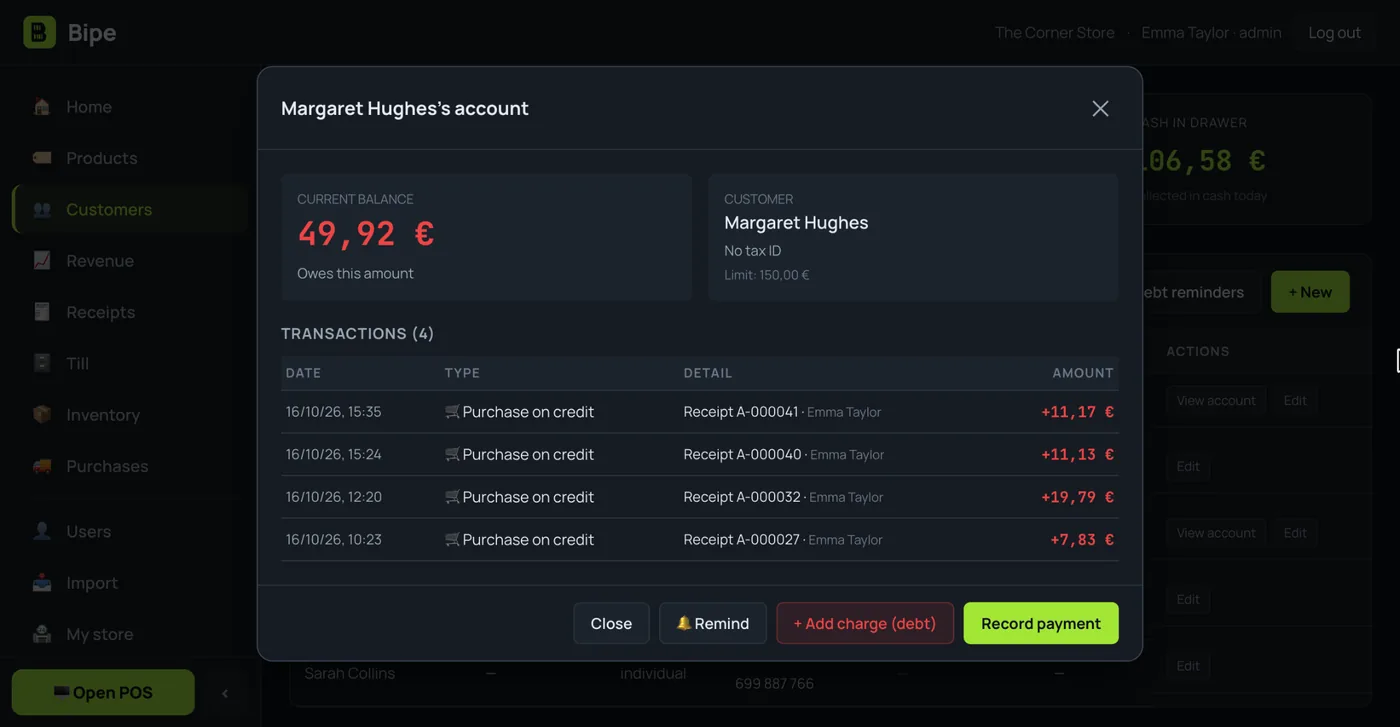
What each customer takes on credit and what they pay back, with date and receipt. When the time comes, you send them a reminder without hunting for the notebook.
- Customer account with a credit limit
- Transactions with date, receipt and cashier
- Debt reminder by WhatsApp or email
Your greengrocer's, from the market to the till closing
This is how a greengrocer POS is used on a normal day, with features Bipe already has.
7:30 · Back from the market
You enter the delivery note with what you've bought and its cost: stock goes up and Bipe knows your margin. You change the price per kilo of whatever has gone up.
9:00 · Opening the till
You open with your change float. On screen, your shortcuts: bananas, tomatoes, potatoes, oranges…
11:00 · Rush hour
Weigh, tap the product, next. If a customer has forgotten something, you park her sale and serve the next one.
13:00 · Everyone pays their way
Cash with change calculated, card on your terminal, on account or mixed on the same receipt.
18:00 · What won't last till tomorrow
You log whatever has gone off as wastage. And if the internet drops, you keep charging: sales upload by themselves when the connection is back.
20:30 · Closing
Count notes and coins on screen, see whether the till balances and print the Z closing. On the dashboard, today's best sellers.
Is your shop bigger or do you sell a bit of everything? See the supermarket POS. Do you also sell fish? See the fishmonger POS. And on the blog: how to sell products by weight with scales.
Bipe in 10 seconds
Short videos from our YouTube channel: everyday situations in your business and how they are handled with Bipe. The videos are in Spanish.

Selling by weight in greengrocers and corner shops
Fruit and loose products with the scale connected to Bipe: the weight goes onto the receipt without typing it.

Goodbye to the credit notebook
Each customer has their own account: what they buy on credit and what they pay back is recorded in Bipe, with every movement.

How long does your till take to charge?
A sale from start to finish with Bipe: add what the customer is buying, choose how they pay and you're done.
Start small, grow when you're ready
VAT included. No lock-in. Every plan comes with 15 days free.
- Up to 3,000 products
- 1 user
- Full POS, till and Z closing
- Scanner, scales and offers
- Stock, delivery notes and expiry dates
- Refunds and receipt history
- CSV catalogue import
- Customers and credit
- Advanced reports
- Several cashiers
- Unlimited products
- Unlimited cashiers, with PINs and permissions
- Everything in Mini, plus:
- Customer accounts (credit)
- Metrics, margins and accountant report
- Read price lists and delivery notes with AI
- Everything in Pro, plus:
- Receipts to customers by WhatsApp or email
- Priority support
- Personalised onboarding
- Assisted catalogue import
- Early access to new features
- Multi-shop (coming soon)
Price per shop per month. Change plan whenever you like. Secure payment with Stripe. During the trial you get every feature.
Greengrocers' questions
Which scales can I connect to Bipe?
How do I charge for fruit that has no barcode?
Can I sell by weight and by unit on the same receipt?
What if my scales already print labels?
Can I log fruit that goes off?
Can I keep selling if the internet goes down?
How much does the greengrocer POS cost?
Guides for your shop
Is your business different?
Shorter queues, more kilos sold
Try Bipe free for 15 days. No lock-in: cancel whenever you like.