Square alternative: switch to Bipe
Flat fee, no per-sale commission
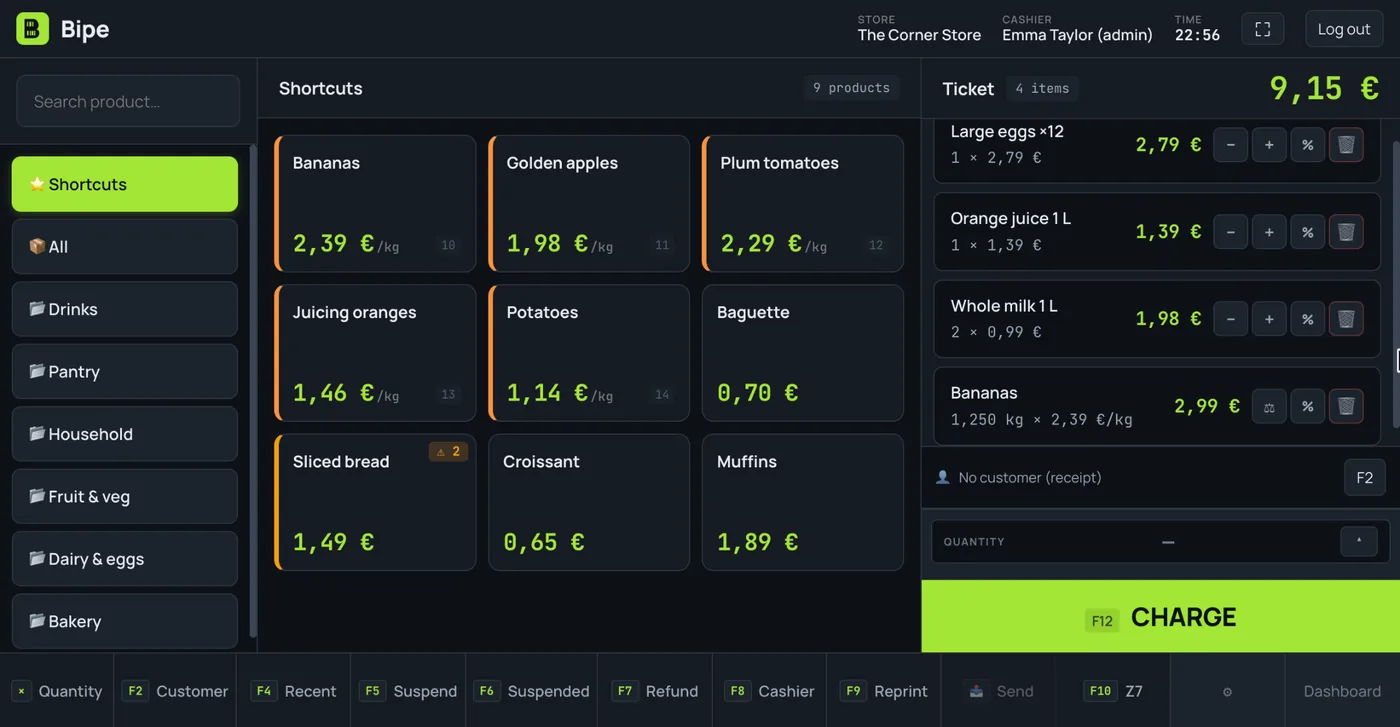
Bipe is the POS for shops, bars and restaurants and salons. Import your Square catalogue, run it in the browser and pay the same every month whatever you sell.
- 15 days free
- No lock-in
- Import your catalogue
Three reasons to leave Square for Bipe
A flat fee, no per-sale commission
With Bipe you pay the same every month, whatever you sell. You keep taking payments with your own card terminal and bank: Bipe doesn't take a cut of each sale.
In your language, with real support
The POS comes in six languages, and support is from real people by email and WhatsApp during business hours. No chatbots that miss the point.
More than payments: run the whole business
Tables and orders, calendar and appointments, stock, customer credit, expiry dates and reports for your accountant, in one POS. You pick your type of business and Bipe adapts.
Bipe vs Square
An honest comparison so you can decide with the facts. If something depends on your plan or country, check it on the other POS's website.
| What you compare | Bipe | Square |
|---|---|---|
| Pricing model | Flat fee from €19.90/month incl. VAT, no per-sale commission | A commission on every payment you process with Square |
| Who processes the payment | You do, with your own card terminal and bank | Square's payment system |
| Installation | In the browser, nothing to install; optional free Windows app | Apps for phone and tablet and Square hardware |
| POS languages | 6 at once: Spanish, English, French, Italian, German and Portuguese | Depends on the country |
| Support | By email and WhatsApp, from real people | Square's own support |
| Import your catalogue | An assistant reads your export and creates your products, with undo | It's your starting point |
| Trial and lock-in | 15 days free, no lock-in | Check their website |
Move your Square catalogue to Bipe in minutes
Bipe has an import assistant with a Square profile: it recognises your columns and creates your products. If something doesn't fit, you can undo the whole import.
Export from Square
Download your item library (and your customers, if you like) from Square as CSV or Excel, just as you did for your reports.
Upload the file to Bipe
In the Import tab you pick the source, upload the file and Bipe suggests which column is each field: name, price, VAT, barcode, category and stock.
Check it and start selling
You confirm, Bipe creates your products in batches and you can start taking payments. Something went wrong? Undo the import and start again.
Would you rather we gave you a hand? With the Premium plan we help you load your catalogue during the trial.
Everything your business needs
Till and Z closing
Take cash or card, even mixed. Close with a count of notes and coins and the Z report prints out.
Receipts and invoices
Receipt or full invoice with sequential numbering, itemised VAT and equivalence surcharge. Refunds with a corrective invoice.
Keep selling without internet
If the connection drops, sales are saved on the device and upload by themselves when it's back, with no duplicates.
Windows app with direct printing
Optional and free: the receipt prints straight away, with no print dialog, and the drawer opens on cash payments.
Team with PINs and permissions
Everyone logs in with their own PIN and can only do what you allow: sell, refund, void, see the till…
Your data, in the EU
Servers in the European Union, encrypted connection and backups. Your data is yours and you can export it.
Questions about switching from Square to Bipe
Can I bring my products over from Square?
Does Bipe charge a commission on each sale?
Can I keep using my card terminal?
What do I gain by switching to Bipe?
Do I need to install anything on my computer?
Is there a minimum contract?
Guides for your shop
Is your business different?
Switch to a POS with a flat fee
Try Bipe free for 15 days. No lock-in: cancel whenever you like.